Introduction
Over the last few years, I’ve often found myself with far too many tabs open in Firefox. Jumping between them usually meant scanning a crowded tab bar, or cycling through windows and hoping I landed on the right one. This is especially true when my screen is shared. I don’t want others to see private tabs, or waste time searching for tabs, and interrupt the conversation flow. I wanted something closer to a command palette or spotlight for mac for my browser.
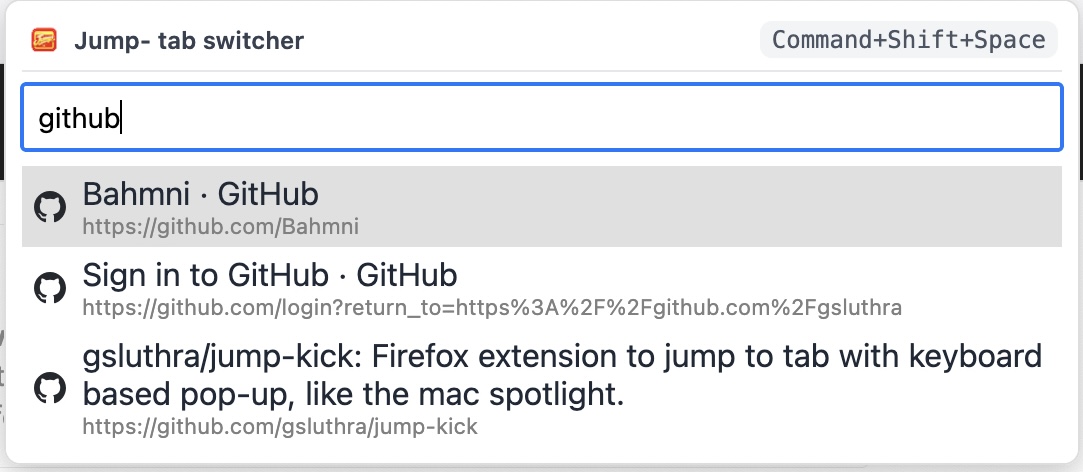
So I built Jump-Kick, a small Firefox extension that lets you hit a shortcut, type a few letters, and instantly jump to the tab you want.
What Jump-Kick does
-
Fuzzy search across open tabs
Type part of a title or URL and Jump-Kick narrows down matching tabs. -
Keyboard-first workflow
Open the palette with a shortcut, use ↑ ↓ to move, and press Enter to switch. -
Quick sort commands
Typesortto see commands that sort your tabs by URL, domain, title, or last accessed.
How to install
You can install Jump-Kick directly from the Firefox Add-ons site: Jump-Kick – Quick Tab Switcher for Firefox

Once installed, look for the default shortcut (on most setups: Command + Shift + Space on macOS or Ctrl + Shift + Space on Windows/Linux). You can customise this in Firefox’s extension shortcut settings.
Using Jump-Kick day to day
My own usage is simple:
- Hit the shortcut whenever I catch myself hunting through the tab bar.
- Type a few characters of the tab I have in mind and press Enter.
- Occasionally type
sortto quickly tidy up tabs by URL, domain, title, or “last accessed” order.
If you live in your browser and juggle multiple projects or contexts, I hope Jump-Kick makes switching tabs feel just a bit more calm and deliberate.
Try it out. And if you have an improvement suggestion, do let me know.